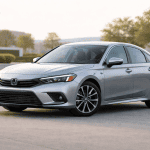
The Honda Civic has a strong reputation for reliability, but like any long‑running model, certain years and generations come with recurring issues. This guide breaks down the most common Civic problems, explains why they happen, shows which years are affected, and gives clear steps on what to do whether you’re buying, owning, or troubleshooting a Civic.
Honda Civic Problems by Generation (Quick Overview)
Generation
Years
Overall Problem Severity
Notes
8th Gen
2006–2011
Moderate
Paint issues, engine block cracks (’06–’09)
9th Gen
2012–2015
Low
Interior wear, infotainment glitches
10th Gen
2016–2021
Moderate‑High
AC failures, oil dilution (1.5T), sensing system issues
11th Gen
2022–2024
Low
Minor early‑production software bugs
Most Common Honda Civic Problems (With Years & Costs)
These are the issues Civic owners report most frequently across different generations. Each problem includes the affected years, repair costs, symptoms to watch for, and practical steps to fix or avoid the issue.
Years Affected:2016–2021
Typical Repair Cost:$900–$1,800
Common Symptoms:
Air Conditioning System Failure (10th Generation)
Weak or inconsistent cooling
Warm air blowing at idle
AC works briefly, then fades
Clicking or hissing noises from the AC system
Why This Happens
The 10th‑gen Civic uses a condenser design that’s prone to cracking, especially in early production years. Once the condenser leaks refrigerant, the system loses pressure and cooling performance drops. In some cases, the compressor also fails due to running low on refrigerant for too long.
How to Confirm the Issue
Look for UV dye leaks around the condenser (Honda added dye from the factory).
Check if the AC cycles on and off rapidly.
Inspect the lower front grille area for oily residue.
What To Do
Check warranty coverage: Honda extended the condenser warranty for many 2016–2019 models.
Request a pressure test: A shop can confirm leaks quickly.
Avoid Civics with repeated AC repairs: Multiple failures may indicate compressor damage or poor repair work.
If buying used: Run the AC at idle and while driving; weak cooling is a red flag.
Cost Breakdown Table
Repair Type
Typical Cost
Notes
Condenser replacement
$900–$1,300
Most common fix
Compressor replacement
$1,200–$1,800
Needed if run low on refrigerant too long
Refrigerant recharge
$150–$250
Temporary if leak exists
Oil Dilution in 1.5L Turbo Models
Years Affected:2016–2018 (especially in cold‑weather states)
Typical Repair Cost:$0–$300 (software update or oil change)
Common Symptoms:
Fuel smell in the oil
Rising oil level on dipstick
Rough idle or hesitation
Reduced cabin heat in winter
Why This Happens
The 1.5L turbo engine runs very efficiently, but in cold climates or during short trips, it may not reach full operating temperature. When that happens, unburned fuel can seep past the piston rings and mix with the engine oil. This “oil dilution” thins the oil and reduces lubrication.
Honda released a software update that adjusts engine warm‑up behavior and reduces the likelihood of fuel mixing with oil.
How to Confirm the Issue
Pull the dipstick and check if the oil level is unusually high.
Smell the oil — a strong gasoline odor is a clear sign.
Look for uneven idle or hesitation when cold.
What To Do
Verify the software update: Most 2016–2018 Civics should have it by now.
Warm the engine fully: Especially in winter, avoid shutting the car off after very short trips.
Shorten oil‑change intervals: In cold regions, change oil every 5,000 miles instead of stretching it.
If shopping used: Avoid cars with repeated oil‑dilution complaints or inconsistent oil‑change history.
Cost Breakdown Table
Fix
Typical Cost
Notes
Honda software update
$0
Usually free at the dealer
Oil change
$60–$120
Needed more often in cold climates
Engine inspection
$100–$150
If symptoms persist
Honda Sensing False Alerts (10th Generation)
Years Affected:2016–2021
Typical Repair Cost:$150–$600
Related Systems:
Collision Mitigation Braking System (CMBS), Lane‑Keep Assist (LKAS), Adaptive Cruise Control (ACC), Road Departure Mitigation (RDM)
Honda Sensing is one of the biggest selling points of the 10th‑gen Civic, but it’s also one of the most commonly reported trouble spots. When the system acts up, drivers often experience sudden warnings, unexpected disengagements, or messages that make the car feel unpredictable.
Common Symptoms
Drivers typically report one or more of the following:
Sudden or inaccurate collision warnings
Lane‑keep assist shutting off without reason
Adaptive cruise control refusing to activate or dropping out mid‑drive
“Radar blocked” or “Camera obstructed” messages even in clear weather
Random beeping or flashing alerts during normal driving
System unavailable after a windshield replacement
These symptoms can appear intermittently or become more frequent over time.
Why This Happens
Honda Sensing relies on a combination of front‑mounted radar, windshield‑mounted cameras, and software logic to interpret road conditions. Several factors can disrupt the system:
1. Sensor Obstruction
Snow, dirt, road salt, or even bug splatter can block the radar or camera view. This is especially common in northern states during winter.
2. Misaligned Radar Unit
A minor bump, curb impact, or front‑end repair can knock the radar slightly out of alignment. Even a few millimeters off can trigger false alerts.
3. Windshield Replacement Issues
If the windshield is replaced without proper camera calibration, Honda Sensing may behave erratically.
4. Software Glitches
Early 10th‑gen models had firmware bugs that caused random warnings or system shutdowns.
5. Electrical or Connector Problems
Loose wiring or moisture intrusion can cause intermittent failures.
What To Do
Here’s how owners and buyers can address or prevent Honda Sensing issues:
1. Clean the Radar and Camera Areas
Wipe the front radar cover and the windshield area around the camera. This alone fixes many false alerts.
2. Request a Sensor Calibration
Any time the windshield is replaced or the front bumper is removed, calibration is required. Dealers use specialized equipment to realign the system.
3. Update Honda Sensing Software
Honda released multiple updates between 2016–2021 to improve system stability. Ask the dealer to check for outstanding updates.
4. Inspect for Front‑End Damage
Even minor impacts can misalign sensors. Look for bumper gaps, uneven panel fitment, or signs of repair.
5. Test the System on a Long Drive
During a test drive, activate ACC and lane‑keep assist on a straight road. If the system disengages or throws warnings, walk away from that car
Most Affected Colors: Black, Blue, Red (dark colors show the issue fastest)
Paint deterioration is one of the most widely known problems on the 8th‑generation Civic. Many owners report peeling clear coat, fading paint, and chalky surfaces—especially on cars exposed to strong sun or harsh climates.
Common Symptoms
These signs usually appear on horizontal surfaces first:
Peeling clear coat on the roof, hood, or trunk
Faded or patchy paint that looks dull or cloudy
Chalky texture when running a hand across the surface
Spider‑web cracking under the clear coat
Paint flaking off in sheets after years of sun exposure
Once the clear coat fails, the paint underneath deteriorates quickly.
Why This Happens
The issue stems from a weaker clear‑coat formula used during the 2006–2011 production years. Combined with UV exposure, heat, and age, the clear coat begins to separate from the base paint.
Honda acknowledged the issue in certain regions and offered partial repaint programs for some colors, but many vehicles are now outside that window.
What To Do
Here’s how owners and buyers can handle or avoid paint issues:
1. Inspect High‑Risk Areas First
Check the roof, hood, and trunk under bright light. Look for dull patches, peeling edges, or cloudy spots.
2. Don’t Fear a Quality Repaint
A professional repaint is often better than original failing paint. Look for even color, no overspray, and clean masking lines.
3. Avoid Cars With Widespread Peeling
If the entire car is peeling, the repair cost can exceed the vehicle’s value.
4. Use Paint Protection After Repair
Ceramic coatings or regular waxing help prevent future UV damage.
5. If Buying Used
Ask the seller if any panels were repainted. A documented repaint is a positive sign—not a negative one.
Cost Breakdown Table
Repair Type
Typical Cost
Notes
Spot repaint (hood or trunk)
$800–$1,200
Good for early peeling
Roof repaint
$900–$1,400
Most common repair
Full repaint
$1,800–$2,500+
Needed for widespread failure
Ceramic coating
$600–$1,200
Protects new paint
Engine Block Cracks (8th Generation)
Years Affected:2006–2009
Typical Repair Cost:$2,500–$4,000
Engine: R18 1.8L
Severity: High — one of the most serious Civic issues ever recorded
Engine block cracking is the most notorious problem tied to the 8th‑generation Civic. While not every car from these years is affected, the issue is well‑documented and expensive to repair, making it a critical point for buyers and owners to understand.
Common Symptoms
Drivers usually notice one or more of the following warning signs:
Coolant leaks beneath the engine
Overheating, especially during long drives or in warm weather
White exhaust smoke, indicating coolant entering the combustion chamber
Low coolant levels despite no visible leaks
Temperature gauge spikes during acceleration or idling
These symptoms often appear gradually, but once the crack expands, overheating becomes frequent and severe.
Why This Happens
Honda identified a casting defect in the R18 engine block used from 2006–2009. The flaw causes hairline cracks to form in the block over time, especially in colder climates or under heavy thermal cycling.
Contributing factors:
Repeated heat expansion and contraction
Cold‑weather stress
Thin casting in certain areas of the block
Age and mileage
Honda issued an extended warranty for many affected vehicles, but most are now outside the coverage window.
What To Do
1. Confirm Engine Block Replacement
Ask for documentation showing the block was replaced under Honda’s extended warranty. A replaced block is a major advantage.
2. Avoid Cars With Overheating History
Any Civic that has overheated repeatedly is a high‑risk purchase.
3. Inspect Coolant Levels and Look for Residue
Check for dried coolant around the block, radiator, and hoses.
4. Perform a Pressure Test
Shops can identify block cracks quickly with a cooling‑system pressure test.
Systems Affected: Touchscreen, Bluetooth, backup camera display, audio controls
Infotainment issues are common across both the 9th and early 10th‑generation Civics. While not catastrophic, they’re frustrating and can affect daily usability.
Common Symptoms
Owners often report:
Frozen or unresponsive touchscreen
Bluetooth disconnecting during calls or music playback
Black or blank display
Backup camera flickering or failing to load
Slow system startup
Random reboots
These issues may appear intermittently or worsen over time.
Why This Happens
Several factors contribute to infotainment failures:
1. Aging Touchscreens
Older units lose sensitivity or develop dead zones.
2. Outdated Firmware
Early software versions had bugs that caused freezing and Bluetooth instability.
3. Failing Head Units
Internal components degrade with heat and age.
4. Aftermarket Wiring
Poorly installed stereos, dash cams, or remote starters can interfere with the system.
What To Do
1. Check for Software Updates
Honda released multiple updates to fix freezing and Bluetooth issues.
2. Test Every Function During a Test Drive
Check Bluetooth, backup camera, touchscreen responsiveness, and audio controls.
3. Avoid Cars With Aftermarket Wiring Behind the Dash
Messy wiring can cause long‑term electrical headaches.
4. Consider Head Unit Replacement
Aftermarket replacements often outperform the original unit.
Cost Breakdown Table
Repair Type
Typical Cost
Notes
Software update
$0–$150
Often free at dealer
Touchscreen repair
$300–$600
Fixes freezing/dead zones
Full head‑unit replacement
$600–$1,000
OEM or aftermarket
Backup camera repair
$150–$300
Common on 2016–2018 models
CVT Shudder or Hesitation (9th & 10th Generation)
Years Affected:2014–2021
Typical Repair Cost:$180–$260 (CVT fluid service)
Severity: Moderate — common but usually easy to fix
The Civic’s CVT is generally reliable, but it’s sensitive to fluid condition. When maintenance is skipped or fluid ages, the transmission may begin to shudder, hesitate, or vibrate at low speeds.
Common Symptoms
Drivers typically notice:
Jerking or shaking when accelerating from a stop
Vibration under light throttle
Delayed acceleration or sluggish response
High RPM flare before the car starts moving
Hesitation during low‑speed cruising
These symptoms often appear between 40,000–80,000 miles when fluid is overdue.
Why This Happens
The Civic’s CVT relies heavily on clean, fresh fluid to maintain proper belt pressure and lubrication.
Causes include:
Old CVT fluid losing viscosity
Skipped maintenance intervals
High‑heat driving
Stop‑and‑go city use
Unlike traditional automatics, CVTs are more sensitive to fluid degradation.
What To Do
1. Change CVT Fluid Every 30k–50k Miles
This is the single most important step to prevent shudder.
2. Avoid Civics With No CVT Service Records
Lack of maintenance is a major red flag.
3. Test Drive at Low Speeds
Shudder is most noticeable between 10–30 mph.
4. Request a CVT Fluid Exchange, Not a Flush
Honda CVTs should never be flushed — only drained and refilled.
This platform analyzes depreciation trends, resale value behavior, and long-term ownership costs, helping drivers understand how mileage, maintenance, and timing shape real financial outcomes.